Technology
Fanuc CNC data collection: machine state, program and part count
We read the state, active program and part count of your Fanuc-controlled CNC machines over the network and connect them to OEE and downtime tracking.
Our clients
- Siemens

- Anadolu Isuzu

- BSH
- Tofaş

- Toyotetsu

- Martur

- Turkcell

- Vodafone

- Doğadan

- Pakmaya

- Bross

- Abdi İbrahim

- Nobel İlaç

- Plastimak

- Dalgıç Kalıp

- Barbaros Motor

- Magneti Marelli

- Rözmaş

- Sanel

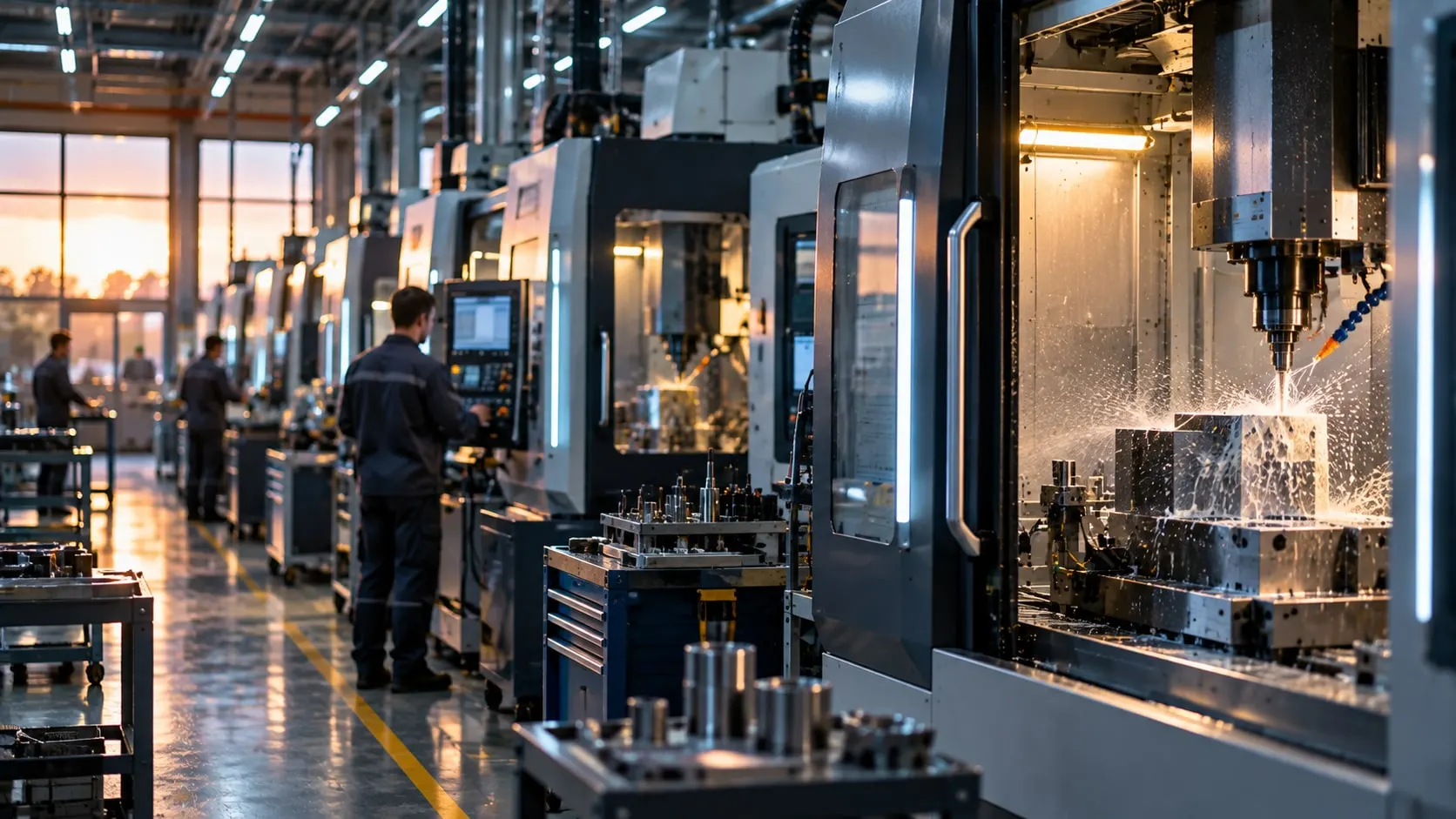
Fanuc CNC data collection means reading a machine's run state, active program, part counter, alarms, spindle and feed values from the control over Ethernet. In machining shops this is the most reliable source for OEE and downtime tracking.
Fanuc controls expose data to outside applications through the FOCAS Ethernet interface. It must be enabled on the machine and the control must have an IP address; we check this machine by machine during the survey.
VOLSOFT does not touch part programs, parameters or machine settings. We set up the reading on Proxus, combine machine data with work order and shift information, and bring it to production tracking screens.
What we deliver
Fanuc CNC data collection
-
Series 0i controls
We read Fanuc Series 0i machines over Ethernet, default port 8193. Support for other Fanuc control series is confirmed during the survey.
-
State and program
States such as running, idle, in alarm or manual mode, plus the active program number and mode, are the basis of downtime tracking.
-
Part count and cycle time
Output comes from the part counter, cycle time from program start and end; OEE performance is calculated from this data.
-
Alarm history
Active alarms are logged with timestamps, so maintenance sees which alarm occurs on which machine and how often.
-
No change to the machine
Reading does not change parameters or part programs. By default we only read.
How a project runs
From discovery to live, step by step
- 01
Machine inventory
We record each machine's control series, Ethernet connection, whether FOCAS is enabled, and the IP plan.
- 02
Choose the data
We decide what to read, such as state, program, part count and alarms, and how it feeds OEE and downtime tracking.
- 03
Network and edge
We keep the machine network separate from the office network and place the edge server close to it.
- 04
Commissioning
We start reading on a Proxus edge gateway, check values against the machine screen and combine them with shift and work order data.
Built on Proxus
Proxus's Fanuc driver runs on the edge gateway and brings machine data into the Unified Namespace. From there it feeds OEE screens, the historian or a database such as PostgreSQL.
Proxus is the industrial data platform built by the VOLSOFT team.
Frequently asked questions
Common questions
How do you collect data from a Fanuc CNC?
Through the control's Ethernet port using the FOCAS interface. FOCAS must be enabled and the control must have an IP address. Part programs and parameters are not touched.
What data can be read from a Fanuc machine?
Typically run state, active program, mode, part counter, alarms, spindle and feed values. What we read is decided by the OEE and downtime tracking needs.
What about older machines without Ethernet?
If the control has no Ethernet or FOCAS option, machine signals can be read through an I/O module or from a PLC next to the machine. The route is decided per machine during the survey.
How long does a CNC data collection project take?
It depends on the number of machines, the control series and how ready the network is. It becomes clear once we review the machine list in the discovery call.
Related pages
Often looked at together
- Solution OEE Software OEE software fed by PLC and CNC data, with downtime reasons, work orders and ERP sync. Explore →
- Solution Downtime Tracking Automatic stop detection, reason codes, Pareto analysis and MTBF/MTTR reporting. Explore →
- Service MES and OEE Implementation Production tracking with automatic OEE, downtime, work orders and shift reports from machine data. Explore →
- Industry Metal and steel Coil tracking, weighing, downtime and energy data on slitting, CTL and rolling lines. Explore →
- Industry Automotive Data collection on press, welding and assembly lines, IATF 16949 traceability and OEE. Explore →

Next step
Let’s turn your goal into a clear engineering scope.
Tell us about your plant, your machines and your goal. An integration engineer will set up a discovery call with you.