Service
Software commissioning, training and support
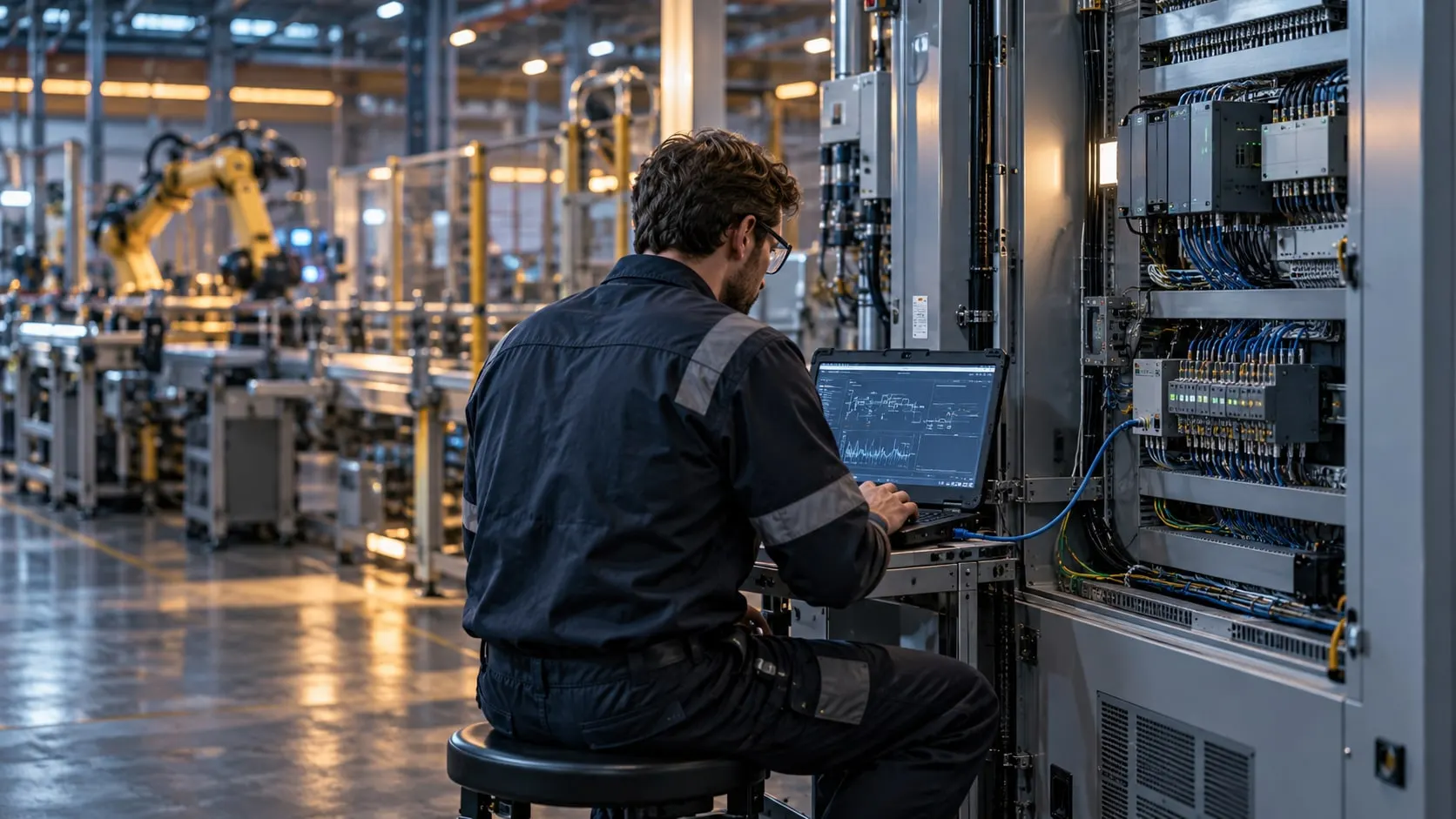
We do not consider a project done at go-live. We validate the system on the floor, train its users, hand it over to IT/OT and keep supporting it afterwards.
Our clients
- Siemens

- Anadolu Isuzu

- BSH
- Tofaş

- Toyotetsu

- Martur
- Turkcell

- Vodafone

- Doğadan

- Pakmaya

- Bross
- Abdi İbrahim
- Nobel İlaç

- Plastimak

- Dalgıç Kalıp

- Barbaros Motor

- Magneti Marelli
- Rözmaş

- Sanel

Commissioning is the phase where software leaves the test environment and becomes part of daily production. Most plant software projects fail here rather than technically: data looks unreliable for a week, operators stop using the screens, and no one owns the system.
We run commissioning as a planned process. Software is installed on the customer’s own servers, acceptance tests follow scenarios written in advance, and the system runs in parallel with the existing paper or spreadsheet tracking for a period. When numbers disagree, we find out why; usually it is a definition gap or a shop-floor habit that changed.
Commissioning involves no intervention in machine control; our work is the software and data layer. After go-live we keep the system alive with monitoring, updates, backups and user support. Support scope and response terms are agreed in writing for each project.
What we deliver
Commissioning and Support
-
Installation on customer servers
Proxus and project components are installed on the customer’s own servers or virtualization platform. Data stays on site and installation follows the plant’s IT security policies.
-
Acceptance testing
Factory and site acceptance tests follow pre-approved scenarios: data accuracy, screens, reports, integrations and outage behavior.
-
Parallel run
The new system runs alongside the existing tracking method for a period. Once differences are explained and closed, the old method is retired.
-
Role-based training
Operators, supervisors, maintenance, managers and IT are trained on the screens and tasks they will actually use. Training material stays with the plant.
-
Handover documentation
Architecture, signal list, data model, integration flows, backup and recovery procedures are delivered in writing.
-
Ongoing support
System health is monitored, updates are scheduled and user requests are logged and answered. New lines and machines are added to the same standard.
How a project runs
From discovery to live, step by step
- 01
Installation and environment
Servers, network access, backup and user accounts are prepared with IT, and the software is installed.
- 02
Acceptance testing
Data accuracy, screens, reports and integrations are tested against approved scenarios and findings are closed.
- 03
Parallel run and training
Users are trained by role while the system runs alongside the existing method.
- 04
Handover and go-live
Documentation is delivered, the system is formally accepted and the old tracking method is retired.
- 05
Support and improvement
Monitoring, updates and user support continue; new needs are handled as planned work packages.
Built on Proxus
Proxus is installed on the customer’s own servers, including isolated networks without internet access where required. Updates, backups and health monitoring are a standard part of every installation.
Proxus is the industrial data platform built by the VOLSOFT team.
Frequently asked questions
Common questions
What does commissioning include for industrial software?
Commissioning industrial software covers installation, acceptance testing, a parallel run, user training and formal handover. For VOLSOFT it is limited to the software and data layer and involves no changes to machine control.
Does the software run in the cloud or on our servers?
On your servers. Proxus and project components are installed on the plant’s own servers or virtualization platform, and data stays on site. Selected data can be forwarded to corporate systems or the cloud if required.
Do you train operators?
Yes. Operators, supervisors, maintenance, managers and IT are each trained on the screens they will use. Training takes place during the parallel run so users practice with real data.
What does ongoing support cover?
Support covers health monitoring, scheduled updates, backup checks and logged handling of user requests. Scope and response terms are written into the contract for each project.
Related pages
Often looked at together
- Solution OEE Software OEE software fed by PLC and CNC data, with downtime reasons, work orders and ERP sync. Explore →
- Solution Industrial IoT Platform Proxus: PLC connectivity, edge, UNS, historian and ERP integration in one on-premises platform. Explore →
- Industry Plastics and injection molding Cycle time, mold changes, scrap and OEE tracking across injection molding machines. Explore →
- Industry Textile Machine data, yarn-break stoppages and efficiency analysis in knitting, weaving and dyeing. Explore →

Next step
Let’s turn your goal into a clear engineering scope.
Tell us about your plant, your machines and your goal. An integration engineer will set up a discovery call with you.